properties 文件
1
2
3
4
| jdbc.driver=com.mysql.jdbc.Driver
jdbc.url=jdbc:mysql://nas.pangcy.cn:10002/ziyangblog
jdbc.username=pangcy
jdbc.password=Pcy1314
|
方式一:开启 context 命名空间
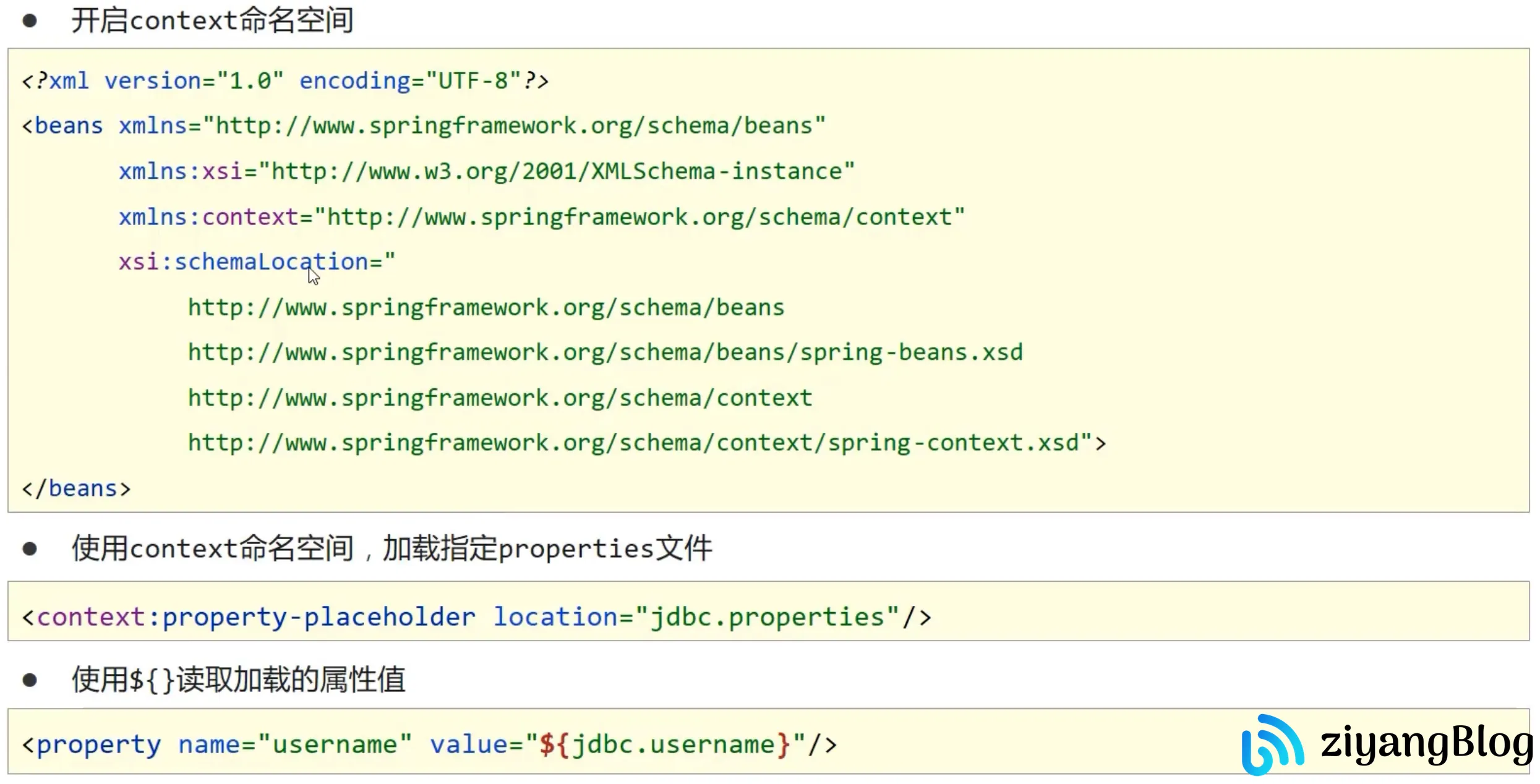
配置
开启 context 命名空间
在 beans 上新增以下三个属性
xmlns:context="http://www.springframework.org/schema/context"http://www.springframework.org/schema/contexthttp://www.springframework.org/schema/context/spring-context.xsd
1
2
3
4
5
6
7
8
9
10
11
| <beans xmlns="http://www.springframework.org/schema/beans"
xmlns:xsi="http://www.w3.org/2001/XMLSchema-instance"
xmlns:context="http://www.springframework.org/schema/context"
xsi:schemaLocation="
http://www.springframework.org/schema/beans
http://www.springframework.org/schema/beans/spring-beans.xsd
http://www.springframework.org/schema/context
http://www.springframework.org/schema/context/spring-context.xsd
">
...
</beans>
|
使用 context 命名空间,加载指定配置文件
1
2
|
<context:property-placeholder location="jdbc.properties" />
|
使用 ${} 读取加载的属性值
1
2
3
4
5
6
| <bean id="dataSource" class="com.alibaba.druid.pool.DruidDataSource">
<property name="driverClassName" value="${jdbc.driver}"/>
<property name="url" value="${jdbc.url}"/>
<property name="username" value="${jdbc.username}"/>
<property name="password" value="${jdbc.password}"/>
</bean>
|
完整配置
1
2
3
4
5
6
7
8
9
10
11
12
13
14
15
16
17
18
19
20
| <?xml version="1.0" encoding="UTF-8"?>
<beans xmlns="http://www.springframework.org/schema/beans"
xmlns:xsi="http://www.w3.org/2001/XMLSchema-instance"
xmlns:context="http://www.springframework.org/schema/context"
xsi:schemaLocation="
http://www.springframework.org/schema/beans
http://www.springframework.org/schema/beans/spring-beans.xsd
http://www.springframework.org/schema/context
http://www.springframework.org/schema/context/spring-context.xsd
">
<context:property-placeholder location="jdbc.properties" />
<bean id="dataSource" class="com.alibaba.druid.pool.DruidDataSource">
	<property name="driverClassName" value="${jdbc.driver}"/>
	<property name="url" value="${jdbc.url}"/>
	<property name="username" value="${jdbc.username}"/>
	<property name="password" value="${jdbc.password}"/>
</bean>
</beans>
|
使用问题
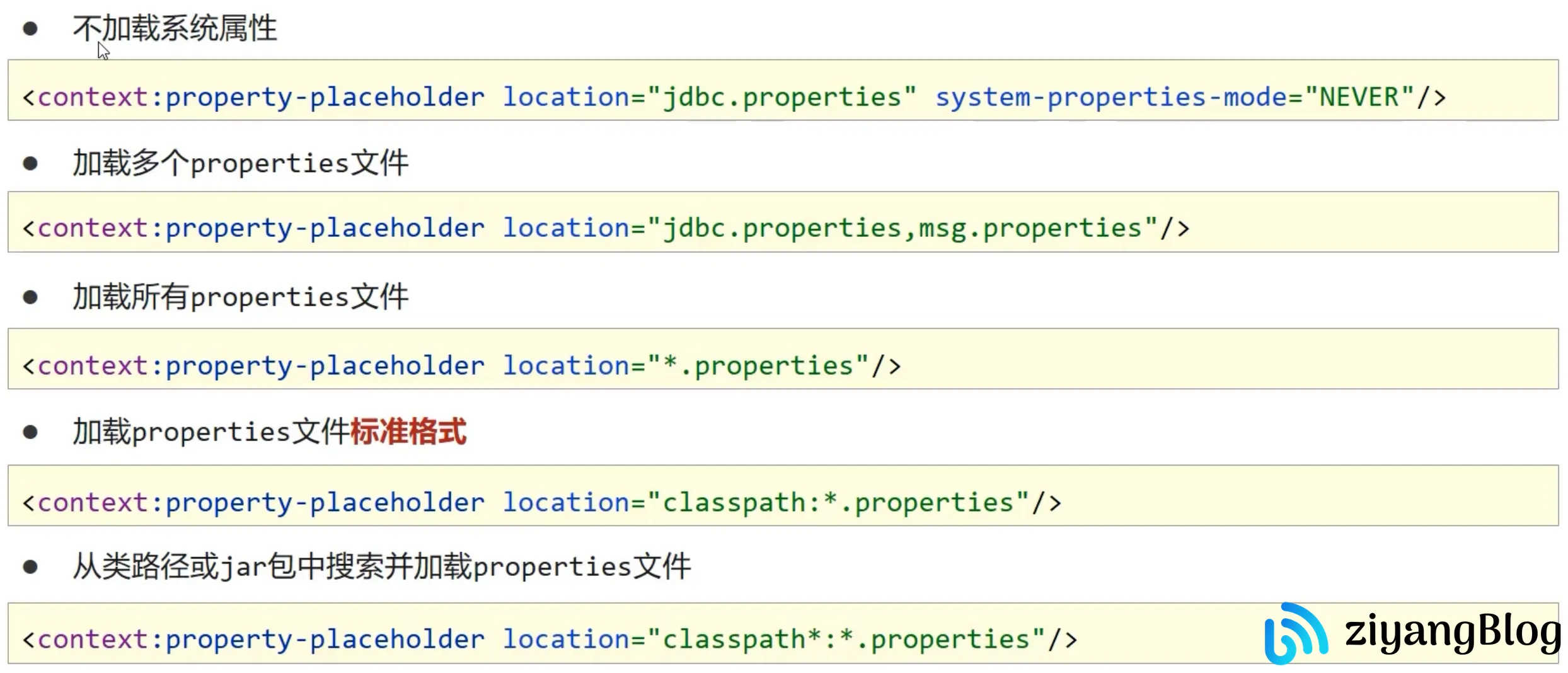
1. 与系统环境变量重名
当配置文件中的配置名与系统环境变量重名时,将会以系统环境变量的值为准
假设系统环境变量配置如下:
1
| JAVA_HOME=/Library/Java/JavaVirtualMachines/jdk1.8.0_341.jdk/Contents/Home
|
工程配置文件配置如下:
1
| JAVA_HOME="/user/my/java"
|
此时在注入依赖时,将会以系统环境变量为准
1
2
3
| <context:property-placeholder location="jdbc.properties" />
<bean id="configDao" value="${JAVA_HOME}" />
|
关闭注入系统配置
可以通过给 context:property-placeholder 配置属性 system-properties-mode="NEVER" 关闭读取系统环境变量
1
2
3
| <context:property-placeholder location="jdbc.properties" system-properties-mode="NEVER"/>
<bean id="configDao" value="${JAVA_HOME}" />
|
2. 读取多个文件
1
2
3
|
<context:property-placeholder location="jdbc.properties, jdbc2.properties" system-properties-mode="NEVER"/>
<bean id="configDao" value="${JAVA_HOME}" />
|
- 通过
*.properties 读取所有配置文件
classspath: 是语法标准规范,同时指定了只读取当前项目下的配置文件- 如果想要读取其他依赖项目的配置文件应当加
* 号:classpath*:
1
2
3
4
5
6
|
<context:property-placeholder location="classspath:*.properties" system-properties-mode="NEVER"/>
<bean id="configDao" value="${JAVA_HOME}" />
|
方式二:使用注入方式
Spring官方文档: bean 工厂配置器
配置
通过 org.springframework.context.support.PropertySourcesPlaceholderConfigurer 注入 locations 属性,配置 value 为文件地址即可。
1
2
3
4
5
6
7
8
9
10
11
12
13
14
15
16
17
18
19
| <?xml version="1.0" encoding="UTF-8"?>
<beans xmlns="http://www.springframework.org/schema/beans"
xmlns:xsi="http://www.w3.org/2001/XMLSchema-instance"
xsi:schemaLocation="
http://www.springframework.org/schema/beans
http://www.springframework.org/schema/beans/spring-beans.xsd
">
<bean class="org.springframework.context.support.PropertySourcesPlaceholderConfigurer">
<property name="locations" value="jdbc.properties"/>
</bean>
<bean id="dataSource" class="com.alibaba.druid.pool.DruidDataSource">
<property name="driverClassName" value="${jdbc.driver}"/>
<property name="url" value="${jdbc.url}"/>
<property name="username" value="${jdbc.username}"/>
<property name="password" value="${jdbc.password}"/>
</bean>
</beans>
|